Nowills FMS
Fleet Management System With Live GPS Tracking
Created: 03/Mar/2024
Updated: 11/Jan/2026
Author: Nowills Group
Version:
Nowills Fleet Managment System (FMS) is a comprehensive, enterprise-grade Fleet Management Solution engineered to streamline your logistics operations. It simplifies managing vehicles, drivers, and customers while providing deep insights into income, expenses, and operational performance.
The new Update introduces game-changing features:
- Smart Dispatch & Routing: Auto-optimize routes and estimate trip costs instantly.
- Progressive Web App (PWA): Install the system on any mobile or desktop device for a seamless app-like experience.
- Enterprise Maintenance (PMS): Comprehensive job cards, parts inventory, and automated service reminders.
- Tyre Management: Complete lifecycle tracking for every tyre in your fleet.
- Real-Time Geofencing: Advanced 3D tracking with instant alerts for inbound/outbound movement.
- Multi-Channel Notifications: Integrated WhatsApp, SMS, and Email alerts for bookings and incidents.
Thank you for choosing Nowills FMS - Fleet Management System With Live GPS Tracking. Built on the robust CodeIgniter framework with a modern Bootstrap 4 interface, this system delivers stability, scalability, and a professional user experience.
Please dont forget to rate our application. Thank you!
Nowills FMS Features
- Dashboard
- Vehicle Availablity
- Vehicles - Vehicle List - Vehicle Info - Add Vehicle - Vehicle Group - Vehicle Route
- Drivers - Driver List - Add Driver - Driver Performance
- Attendance & Payroll - Attendance - Payroll / Settlement
- Driver Chat
- Vehicle Vendors - Vendor List - Add Vendor
- Trips - Trip List - Add Trip - Smart Dispatch (AI)
- Customers - Customer List - Add Customer
- Coupon Management
- Maintenance - Maintenance List - PMS Scheduler - Incident Reports - Tyre Management - Cost Analytics - Add Maintenance - Mechanic - Vendor
- Stock - Stock Inventory - Add Stock - Purchase History
- Fuels - Fuel Management - Add Fuel - Fuel Vendor
- Reminder - Reminder Manager - Calendar View - Add Reminder - Reminder Services
- Accounts - Accounts Management - Add Transactions - Transactions - Transfers - Categories
- Tracking - Tracking History - Live Location
- Route Planner
- WhatsApp Settings
- Geofence - Add Geofence - Geofence Management - Geofence Events
- Reports - Booking Report - Income & Expenses - Fuel Report - User Report - Coupon Report - Reminders Report - Maintenance Report - Top Income - Top Expense - Top Vehicles - Top Routes - Geofence Report - Profitability Report - Driver Performance
- Employee's - Employee Manage - Add Employee
- Alerts
- Settings - General Settings - Cron Settings - Menu Ordering - Languages - SMTP Config - Email Template - SMS Config - SMS Template - Traccar Config - Database Backup - Bulk Import - Mobile Logs
- Change Password
Frontend Booking
Frontend Booking page enables customers to easily book vehicles online. The module features a seamless Customer Login & Registration system, allowing users to create accounts, manage their profiles, and securely book trips.
Key features include:
- Smart Booking Form: Interactive form with Google Maps autocomplete for Pickup/Drop locations and intuitive Date/Time selection.
- Vehicle Selection: Visual display of available vehicle groups (e.g., Flat bed,Low bed, Van, SUV) for easy choice.
- Customer Dashboard: A dedicated "My Account" area where users can view Booking History, track Upcoming Trips, and monitor booking status (Pending, Completed, Cancelled).
- Profile Management: Customers can update their contact details and password securely.
Progressive Web App (PWA) support transforms the system into a native-like application. Users can install the Customer Portal directly onto their smartphones (Android/iOS) or desktops without needing an App Store.
PWA advantages include:
- Instant Installation: "Add to Home Screen" with a single click for quick access.
- Native Experience: Runs in a standalone window without the browser interface, feeling just like a mobile app.
- Cross-Platform: Works seamlessly across Windows, macOS, Android, and iOS devices.
- Performance: Faster load times and improved reliability compared to standard web pages.
Frontend Booking

Dashboard
The Admin Dashboard acts as the command center for your fleet, providing real-time data visualization and operational alerts.
1. Key Metrics & Info Boxes
- Total Assets: Instant count of total Vehicles, Drivers, and Customers.
- Today's Activity: Summary of Today's Trips, Transactions (Income/Expense), and Active Vehicles.
- Traccar Sync Status: Live indicator of connection status with the Traccar GPS server.
2. Fleet Operations & Statistics
- Live Fleet Status: Pie chart and counts for vehicles that are Moving, Parked, Offline, or Idle.
- Fleet Utilization: Visual chart showing the percentage of the fleet currently "In Trip" vs. "Free/Ideal".
- Vehicle Running Status: Real-time list showing the ignition status (On/Off) and movement of each vehicle.
- Delayed Trips Alert: A dedicated warning grid highlighting trips that have exceeded their scheduled end time, including delay duration.
3. Financial Insights
- Income vs. Expense: Comparative chart for the current month.
- Cost Overview: Breakdown of operational costs (Fuel, Maintenance, Salaries, etc.).
- Top Performers: Widgets displaying Top Income generating vehicles and Top Expense incurring vehicles.
4. Health & Maintenance
- Service Reminders: "Needs Attention" list for vehicles with upcoming or overdue service maintenance.
- Vehicle Health: Alerts for Critical Issues like Engine Faults (DTC), Low Battery, or Insurance Expiry.
5. Live Monitoring
- Geofence Status: Real-time monitoring table showing which vehicles are currently inside specific geofences, with entry time and duration.
- Recent Activity: A timeline feed of the latest system events (New Bookings, Trip Completions, Fuel Entries, Incident Reports).
- Fuel Consumption: 7-Day trend chart to monitor fuel usage patterns across the fleet.
Dashboard


Vehicle Availablity
Vehicle Availability provides a visual calendar view of your entire fleet's schedule. It helps dispatchers identify free time slots and prevent double-booking by displaying:
- Active Trips: Displayed in Green, showing the vehicle, route start/end locations, and duration.
- Maintenance Downtime: Displayed in Red, indicating when a vehicle is in the workshop and unavailable for dispatch.
- Interactive Timeline: Users can switch between Month, Week, and Day views to plan schedules effectively. Clicking on an event redirects to the specific Trip Details or Maintenance record.
Dashboard

Vehicles
You can list, create, edit, group and route in Vehicles section.
Lists of Vehicles

Vehicle Details

Vehicle Details Fuel View

Add Vehicle

Vehicle Group

Drivers
The Driver Management Module goes beyond simple record-keeping, offering a complete suite for managing your workforce's lifecycle, performance, and compliance.
Key features include:
- Smart Performance Scorecard: Automatically evaluates drivers based on a weighted system:
- Fuel Efficiency (40%): Compares individual consumption against the fleet average.
- Punctuality (30%): Tracks on-time trip completions.
- Safety (30%): Monitors incident involvement.
- Digital Onboarding: Complete profile management including Webcam Photo Capture and Digital Document Storage for licenses, insurance, and ID notifications.
- Bulk Operations: Easily Import Drivers via CSV to set up large fleets in minutes.
- Detailed Reporting: Individual driver reports showing trip history, earnings, and vehicle assignment logs.
Lists of Drivers

Add Driver

Driver Smart Performance Scorecard

Vehicle Vendors
You can list, create, and edit in Vehicle Vendors section.
Lists of Drivers

Add Driver

Trips
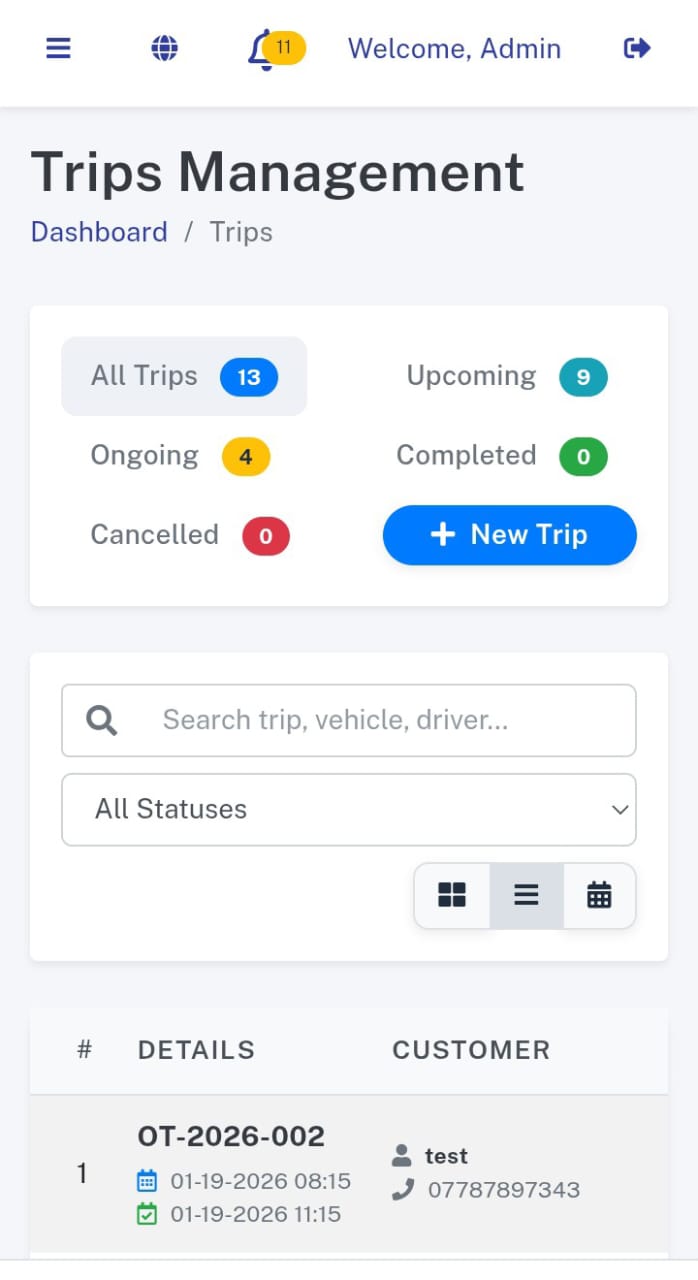
The Trips Module is the operational heart of your fleet, providing a centralized command center for managing all transport requests. It goes beyond simple booking by offering Smart Dispatch capabilities, which help you assign the right vehicle and driver based on availability and capacity.
- Smart Dispatch System: Easily create trips, assign drivers, and allocate vehicles with conflict detection.
- Visual Scheduler: A dynamic timeline view creates a visual Gantt chart of your fleet's schedule, making it easy to spot gaps or overlaps.
- Live Trip Tracking: Generate public tracking links for customers to monitor their shipment or ride in real-time without logging in.
- Automated Notifications: Send trip details via WhatsApp and Push Notifications to drivers and status updates to customers.
- Expense & Income Log: Track fuel, toll, and maintenance expenses for each trip to calculate true profitability per job.
- Digital Documentation: Upload and store PODs (Proof of Delivery), invoices, and other trip-related documents directly within the trip record.
Lists of Trips

Trip Details

Add Trip

Smart Dispatch

Customers
The Customer Module acts as your integrated CRM (Customer Relationship Management) system. It allows you to maintain detailed profiles for all your clients, track their engagement with your fleet, and monitor their financial standing in real-time.
- Comprehensive Profiles: Store complete details including address, contact information, and business registration data for corporate clients.
- Outstanding Balance Tracking: Automatically track unpaid invoices and outstanding balances directly on the customer card, ensuring you never miss a payment.
- Booking History: View the complete trip history for any customer, allowing for better service personalization and dispute resolution.
- Quick Actions: Initiate calls or send emails directly from the customer list with a single click.
- Status Management: Easily activate or deactivate customer accounts to control access and booking privileges.
- Search & Filter: Powerful search capabilities to find customers by name, phone, or email instantly.
Lists of Customers

Add Customer

Coupons
You can list, create, and edit in Coupons section.
Lists of Coupons

Add Coupon

Maintenance
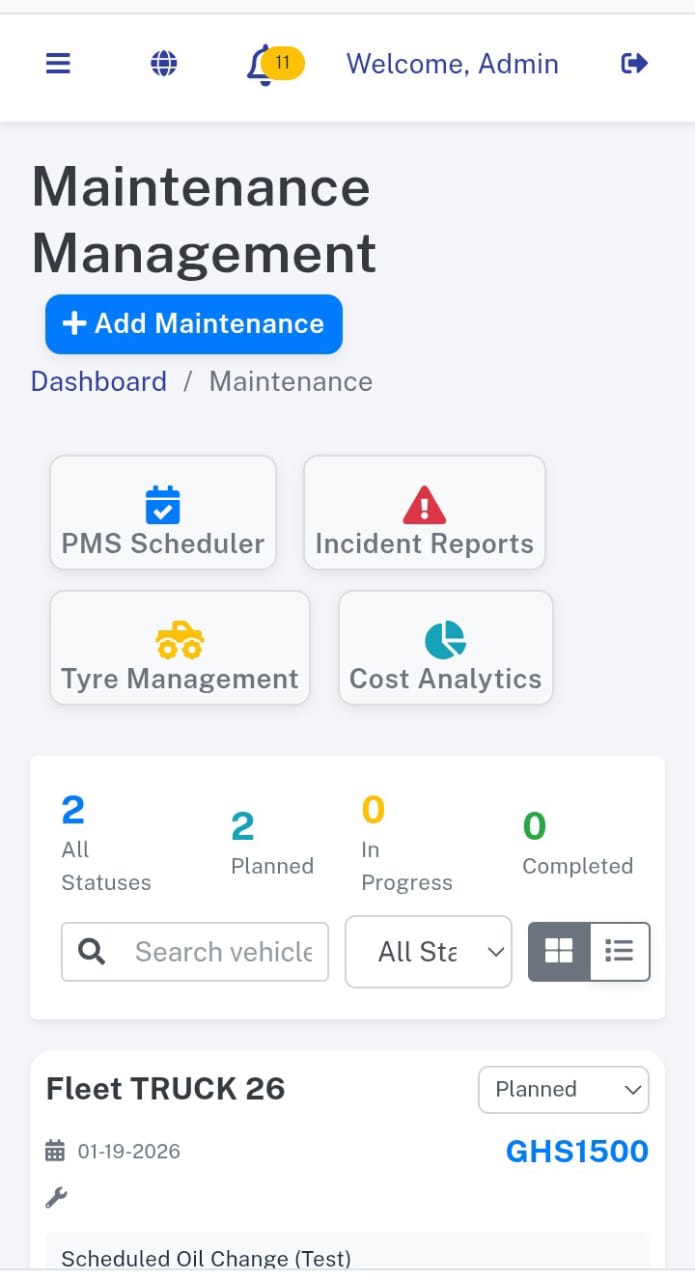
The Maintenance Module is designed to maximize vehicle uptime and lifespan. Move from reactive repairs to proactive care with automated tracking, scheduling, and inventory management for your fleet's health.
- Preventative Maintenance Scheduling (PMS): Set automated triggers based on mileage (odometer) or time intervals to ensure vehicles never miss a service.
- Digital Job Cards: Create detailed job cards for internal or external mechanics, tracking every task performed and technician notes.
- Inventory Management: Link spare parts usage directly to maintenance jobs to automatically deduct stock and track consumption costs.
- Vendor & Mechanic Portal: Manage a database of approved vendors and mechanics, tracking their performance and costs over time.
- Cost Analytics: Visualize accurate maintenance costs per kilometer and identify high-cost vehicles that may need replacement.
- Smart Alerts: Receive notifications via SMS, WhatsApp, or Email when a vehicle is due for service or when parts inventory is low.
Lists of Maintenance

Maintenance Details

Add Maintenance

Preventive Maintenance Scheduler (PMS)

Incident Reported

Tyre Management

Mechanic

Maintenance Vendor

Stock Inventory
You can list, create, and edit in Stock Inventory section.
Lists of Maintenance

Add Stock

Add Stock Inventory

Purchase History

Fuel
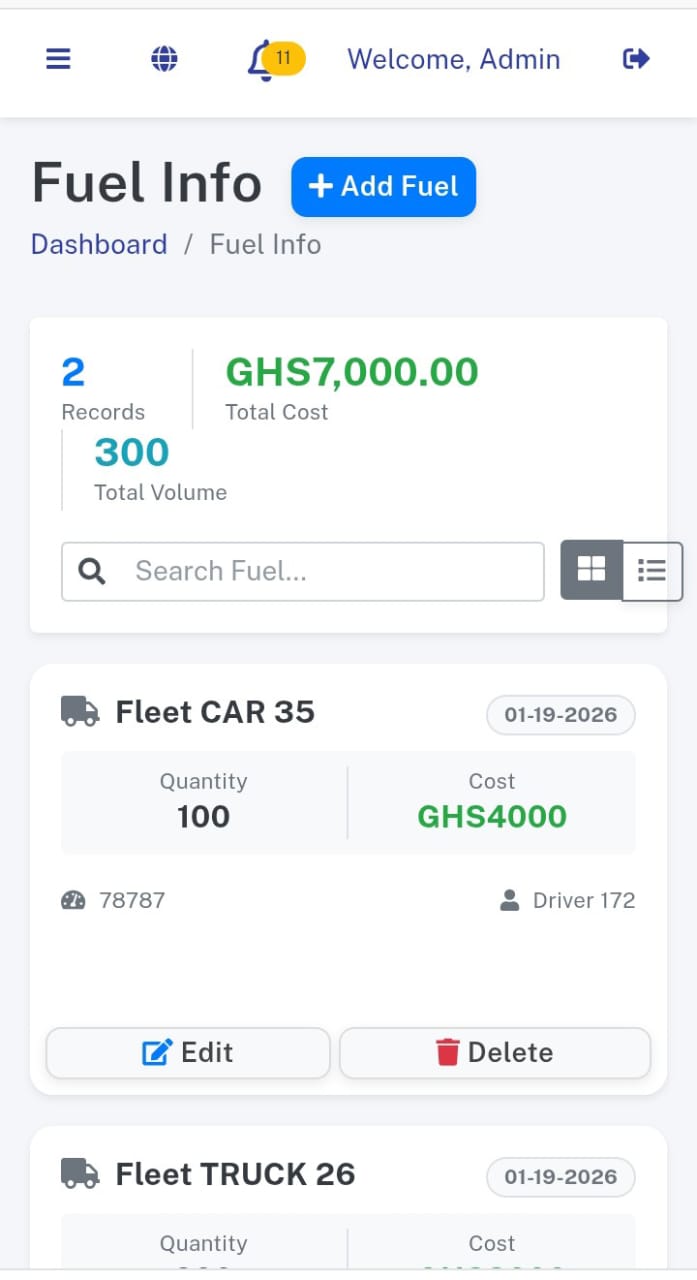
You can list, create, and edit in fuel section.
Lists of Fuels

Add Fuel

Fuel Vendor

Reminder
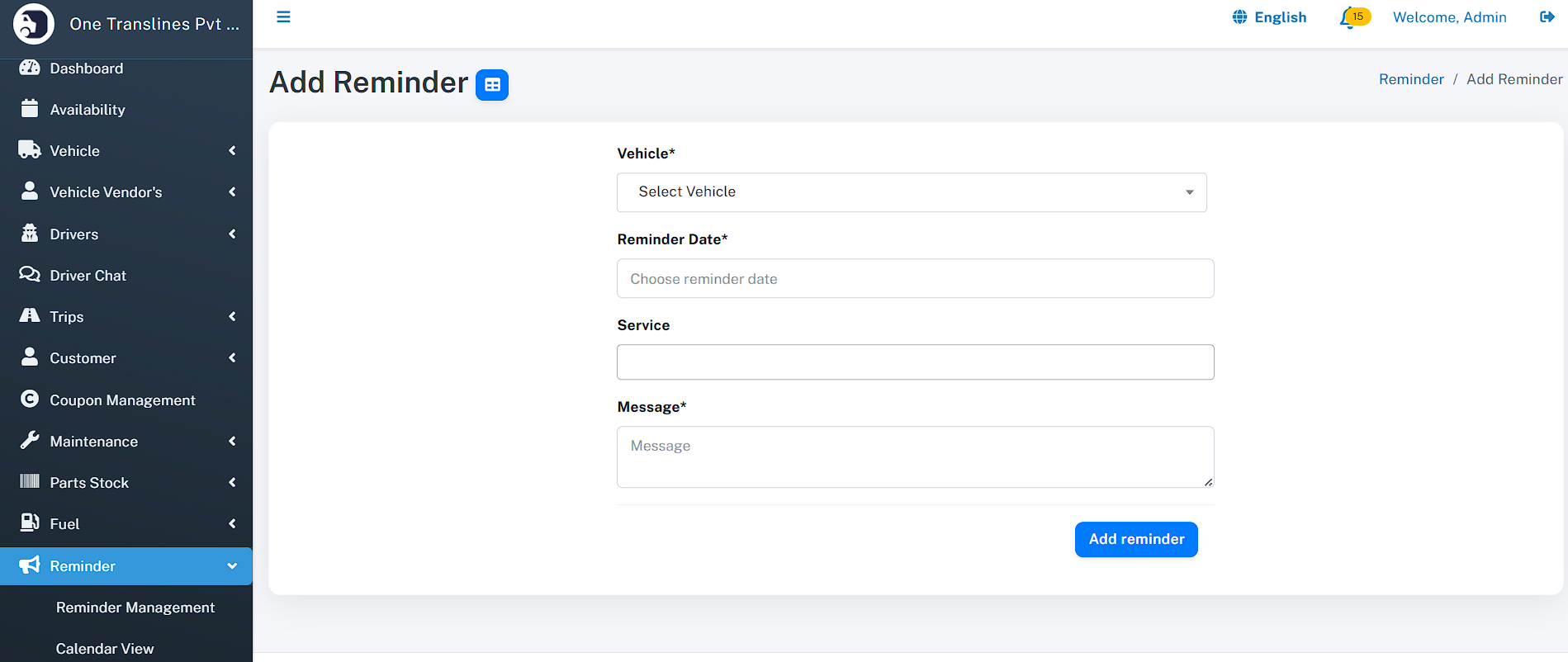
You can list, create, and edit in Reminder section.
Lists of Reminder

Add Reminder
Reminder Services

Accounts
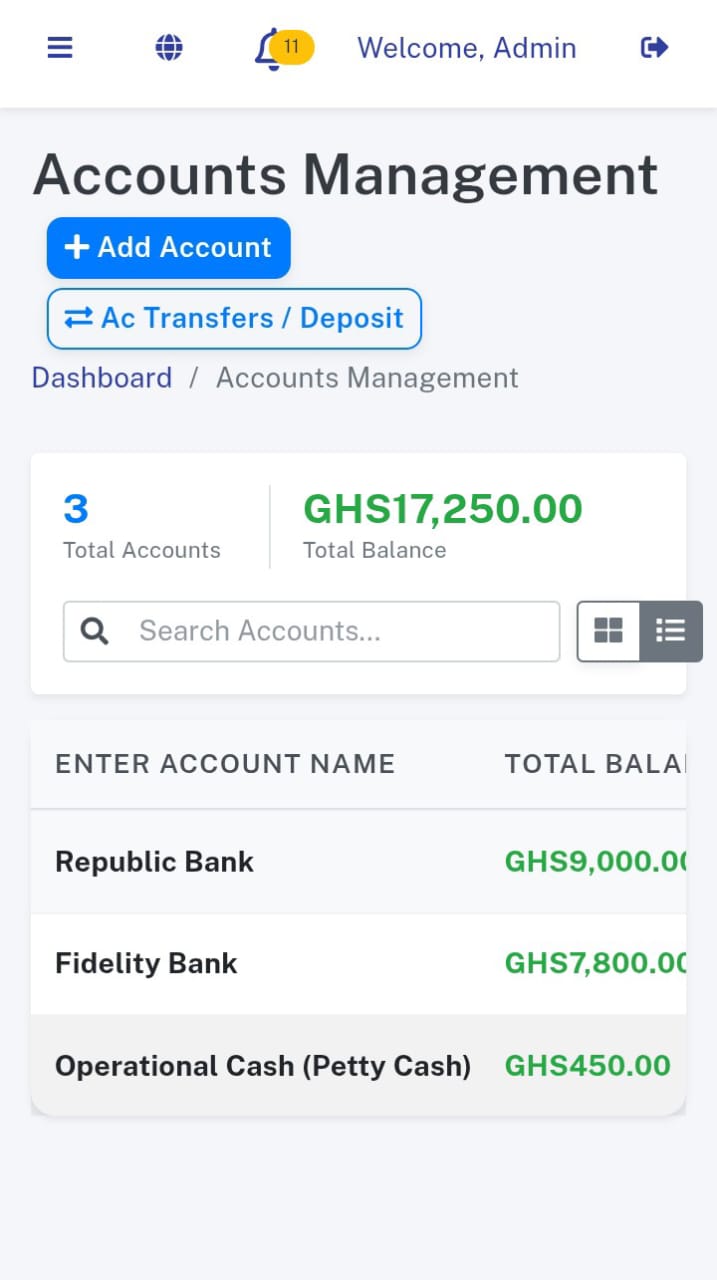
You can list, create, and edit in accounts section.
Lists of accounts

Add Transactions

Accounts Transactions

Add Transfer / Deposit

Transactions Category

Tracking
The Tracking section is your command center for fleet operations. It unifies active monitoring with historical data analysis in a single interface.
Live Location
Monitor your entire fleet in real-time. Vehicles update their position every 30 seconds, with status colors indicating if they are Moving, Idle, or Offline.
Trip History
Access past records by selecting a vehicle and date range. View detailed logs of total distance traveled, duration, and start/end locations for every trip.
Route Playback
Replay any completed trip with our interactive animation tool. Watch the vehicle trace its exact path on the map to verify routes and driver behavior.
Tracking History


GPS Tracking
Supported Tracking Methods
Real GPS Devices (Hardware-based)
- Compatible with popular GPS devices (Concox, Teltonika, Queclink, etc.)
- Devices send live location data to the Traccar server
- High accuracy and reliability
- Ideal for fleet vehicles, trucks, buses, and logistics
Features:
- Live vehicle location
- Speed tracking
- Ignition ON / OFF status
- Route history & playback
- Geo-fence alerts
Traccar Client App (Android & iOS)
- Use the official Traccar Client mobile app
- No hardware required
- Mobile phone acts as a GPS tracking device
- Perfect for drivers, delivery agents, and temporary tracking
Supported Platforms:
- Android
- iOS
Features:
- Real-time location updates
- Background tracking
- Battery-efficient mode
- Secure device ID–based tracking
Custom Driver Mobile App
- Use a custom-built driver app integrated with Nowills FMS APIs
- Full control over UI and features
- Combine GPS tracking with driver operations
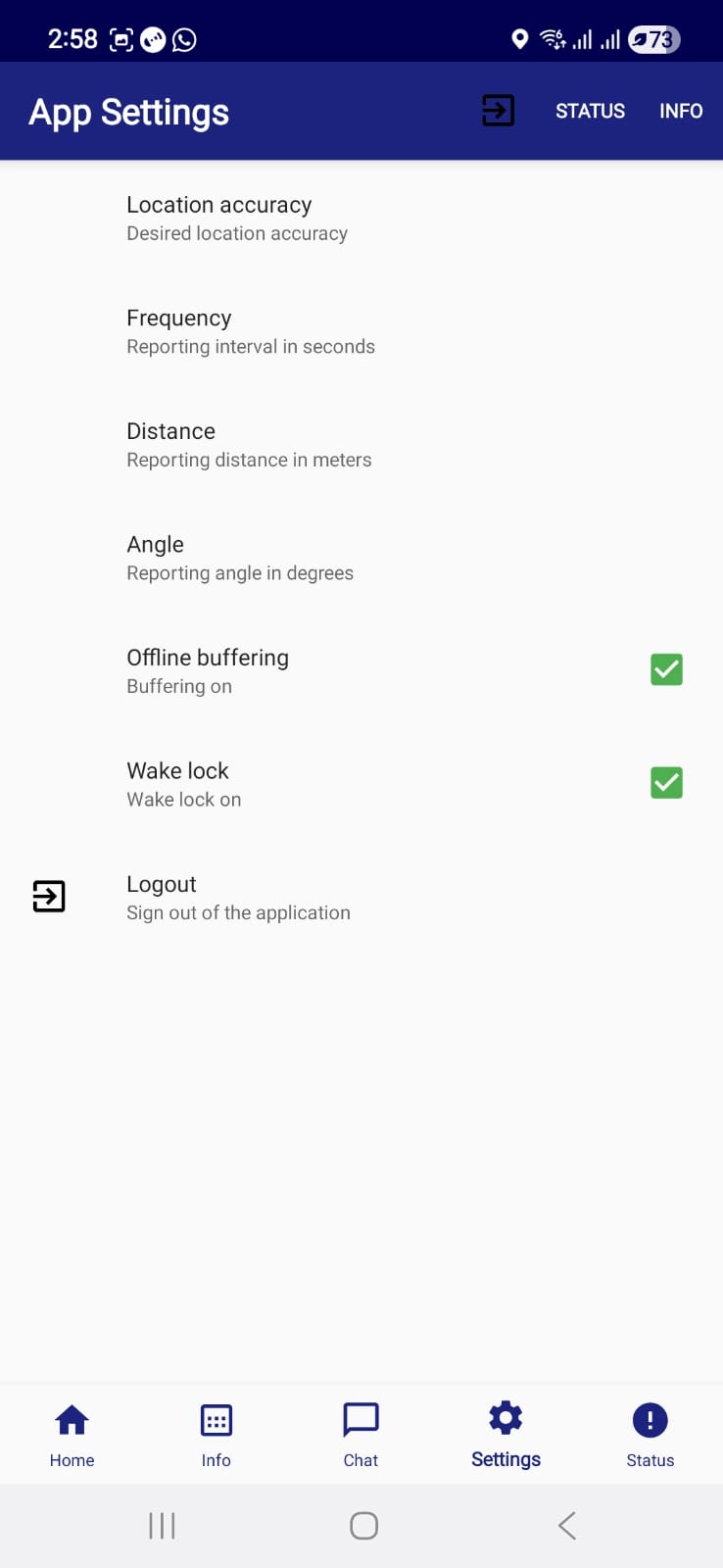
Additional Features:
- Trip start / stop
- Attendance tracking
- Fuel entry
- Issue reporting
- Proof of Delivery
- Real time push notifications to update on trips
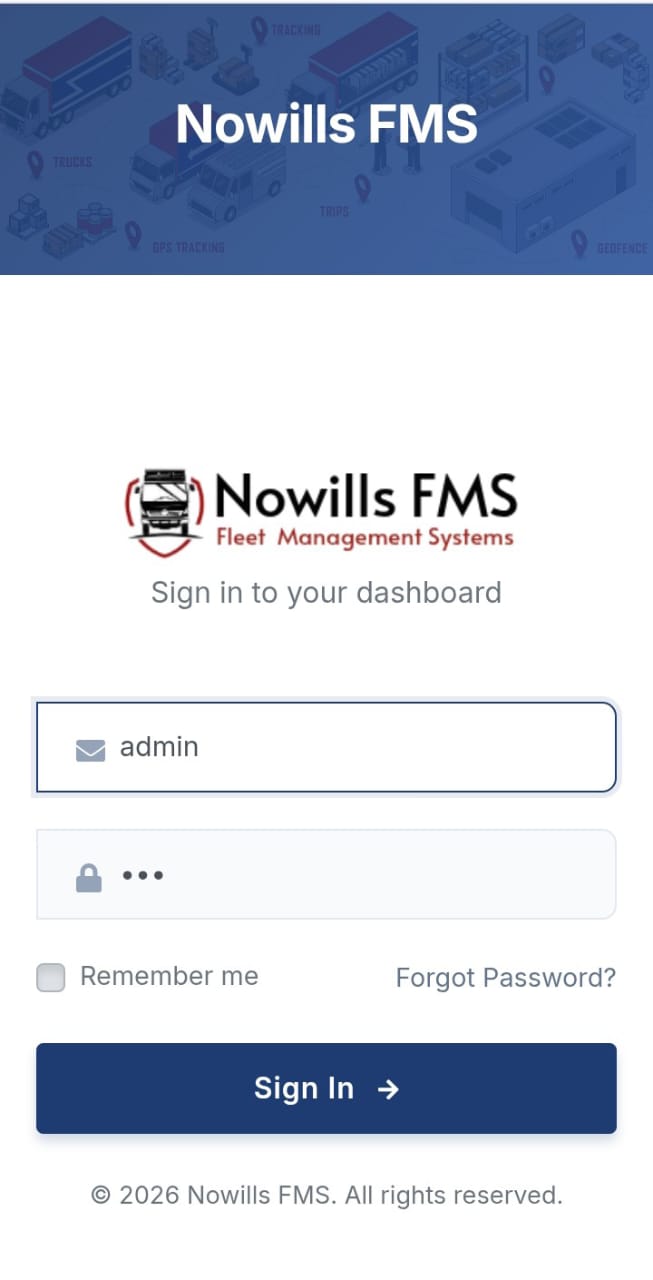
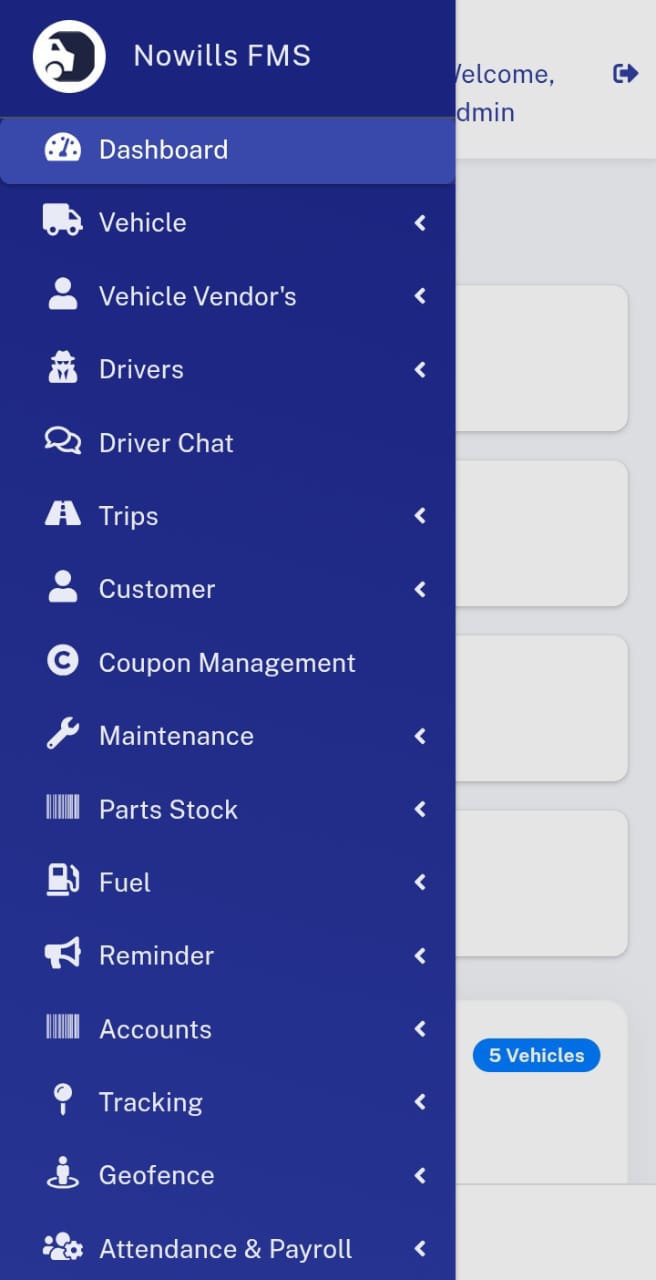
Benefits:
- Seamless VMS integration
- Branded mobile experience
- Role-based access for drivers
Geofence
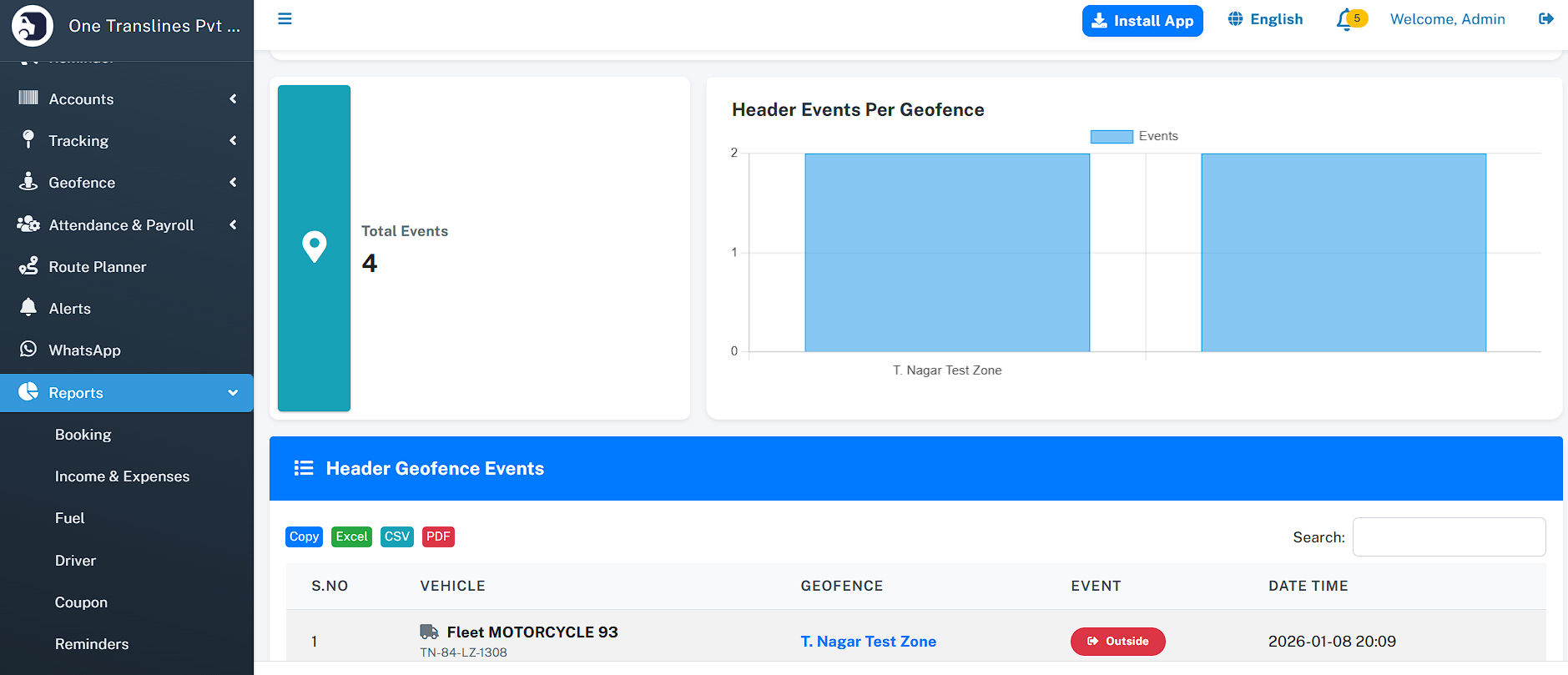
The Geofence module allows you to define virtual perimeters on the map. It automates monitoring by triggering alerts whenever vehicles enter or exit these designated zones.
Create Zones
Easily draw custom shapes (polygons or circles) on the map to define restricted areas, customer sites, or hubs directly from the Add Geofence interface.
Assign Vehicles
Link specific vehicles to each geofence. You can control which assets are monitored for a particular zone, ensuring relevant alerts for each fleet segment.
Smart Alerts
Configure real-time notifications via Email or SMS. Select which team members receive alerts for Entry or Exit events to take immediate action.
Add Geofence

Lists of Geofence

Attendance and Payroll
The Workforce module unifies driver attendance tracking with automated payroll processing. It ensures accurate compensation based on verified service records and performance.
Smart Attendance
Mark daily attendance via a visual calendar grid. Supports statuses like Present, Absent, Half-Day, and Weekend with auto-filled shift times.
Automated Payroll
Generate monthly salary slips automatically. The system calculates payouts by factoring in attendance, trip commissions, and any advance salary deductions.
Ledger Integration
Seamlessly link payroll expenses to your financial accounts. Settling a salary automatically records a Debit transaction in the selected company account.
Lists of Employees

Add Employee

Route Planner
The Route Planner is an advanced tool for pre-trip planning. It optimizes paths for efficiency and provides detailed cost breakdowns before a wheel turns.
Dual Routing Engine
Switch seamlessly between Google Maps (Premium Traffic Data) and OSRM (Open Source Routing) based on your budget and accuracy needs.
Cost Estimation
Select a vehicle to auto-load its fuel efficiency. The system predicts total fuel consumption and cost for the trip, helping you quote customers accurately.
Multi-Stop Support
Plan complex journeys with multiple waypoints. The interface allows you to add, remove, and reorder stops to find the most efficient sequence.
Route Auto-optimize

Alert Configuration
The Alerts system acts as your 24/7 watchdog. It automatically detects critical issues and notifies the right people instantly, preventing downtime and ensuring compliance.
Multi-Channel Delivery
Never miss a critical update. Configure the system to send notifications via Email, SMS, or WhatsApp depending on the urgency and user preference.
Configurable Triggers
Set your own thresholds for alerts like Speeding (>100 km/h), Low Fuel (<20%), Idle Time (>30 mins), and Driver Fatigue (>8 hours).
Expiry Reminders
Stay compliant with automated reminders. The system notifies you days in advance for upcoming Insurance renewals, License expirations, and Maintenance schedules.
Alerts Configuration

WhatsApp Configuration
You can manage WhatsApp Configuration.

Reports
The Reports module transforms raw data into actionable insights. From financial health to driver performance, visual dashboards help you optimize every aspect of your fleet operations.
Financial Intelligence
Track the bottom line with precision. Analyze Income vs. Expense, monitor Profitability per vehicle, and identify your top revenue-generating sources.
Fleet Efficiency
Dive deep into operational costs. Detailed reports on Fuel Consumption, Maintenance History, and Route Performance help you cut wastage.
Driver Performance
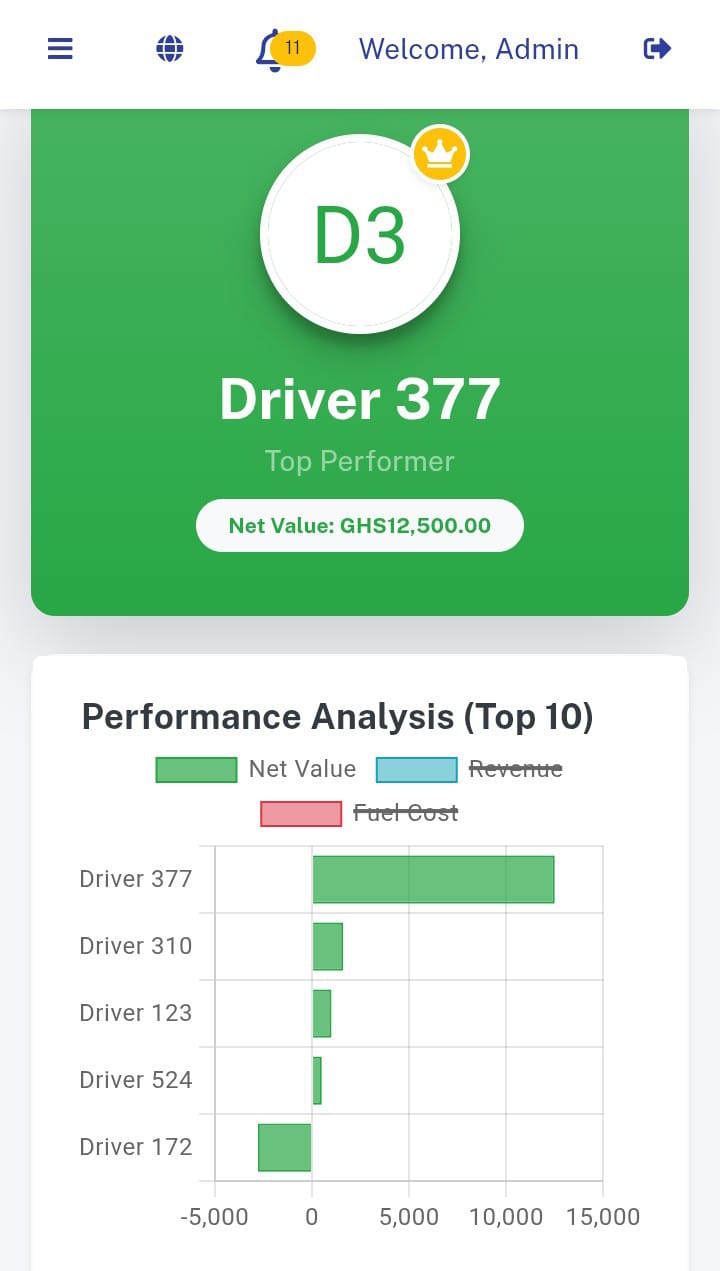
Evaluate your workforce objectively. The system ranks drivers based on Trip Revenue, Fuel Efficiency, and Incident Free kilometers.
Booking

Income & Expenses

Fuel

Drivers

Coupon

Reminders

Maintenance

Top Income

Top Expense

Top Vehicles

Top Routes

Geofence Report
Profit Report

Driver Performance

Employee
You can manage employee accounts in Employees section.
Lists of Employees

Add Employee

Contact Us
Company: Nowills Group
Product: Nowills FMS - Fleet Management System
Tel: +233 538 855 565 | +233 242 349 181
Email: info@nowillsgroups.com
Website: www.nowillsgroups.com